![Screenshot 2025-02-20 104356.png]](https://employeekb.persimmony.com/hs-fs/hubfs/Screenshot%202025-02-20%20104356.png?height=40&name=Screenshot%202025-02-20%20104356.png)
Step-by-Step Instructions
1. Go to Program Values Setup
-
Navigate to Setup > Program Values.
2. Select the Source Program
-
In the Program dropdown, choose the Program that already contains the Activity Type you want to copy.
3. Open Activity Type
-
From the list of available setup options, select Activity Type.
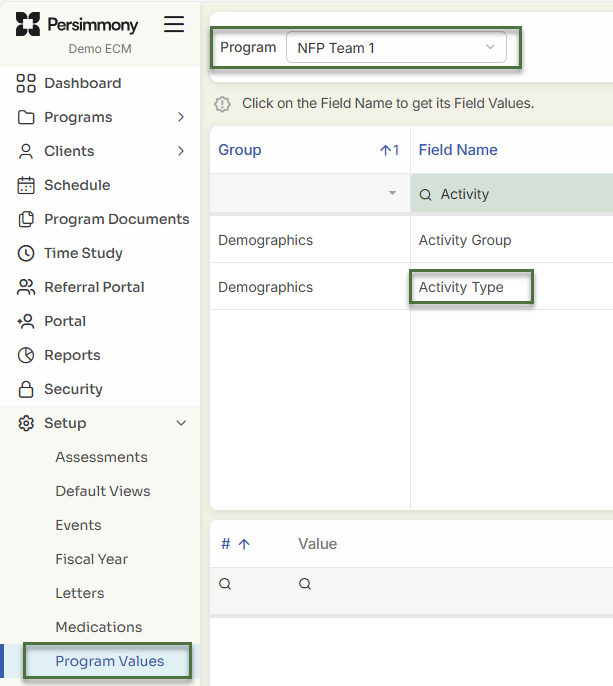 4. Initiate Copy Field Values
-
Click the Copy Field Values button at the bottom Left of the screen.
5. Filter and Select the Activity to Copy
-
In the popup window:
-
Use the Group column filter to narrow down the list (e.g., filter to “Memo” to only show memo-type activities).
-
Select the checkbox next to the Activity Type you wish to copy.
-
6. Select the Target Program
-
At the bottom of the popup, choose the target Program where you want this Activity Type copied.
7. Complete the Copy
-
Click Copy to finish the transfer.
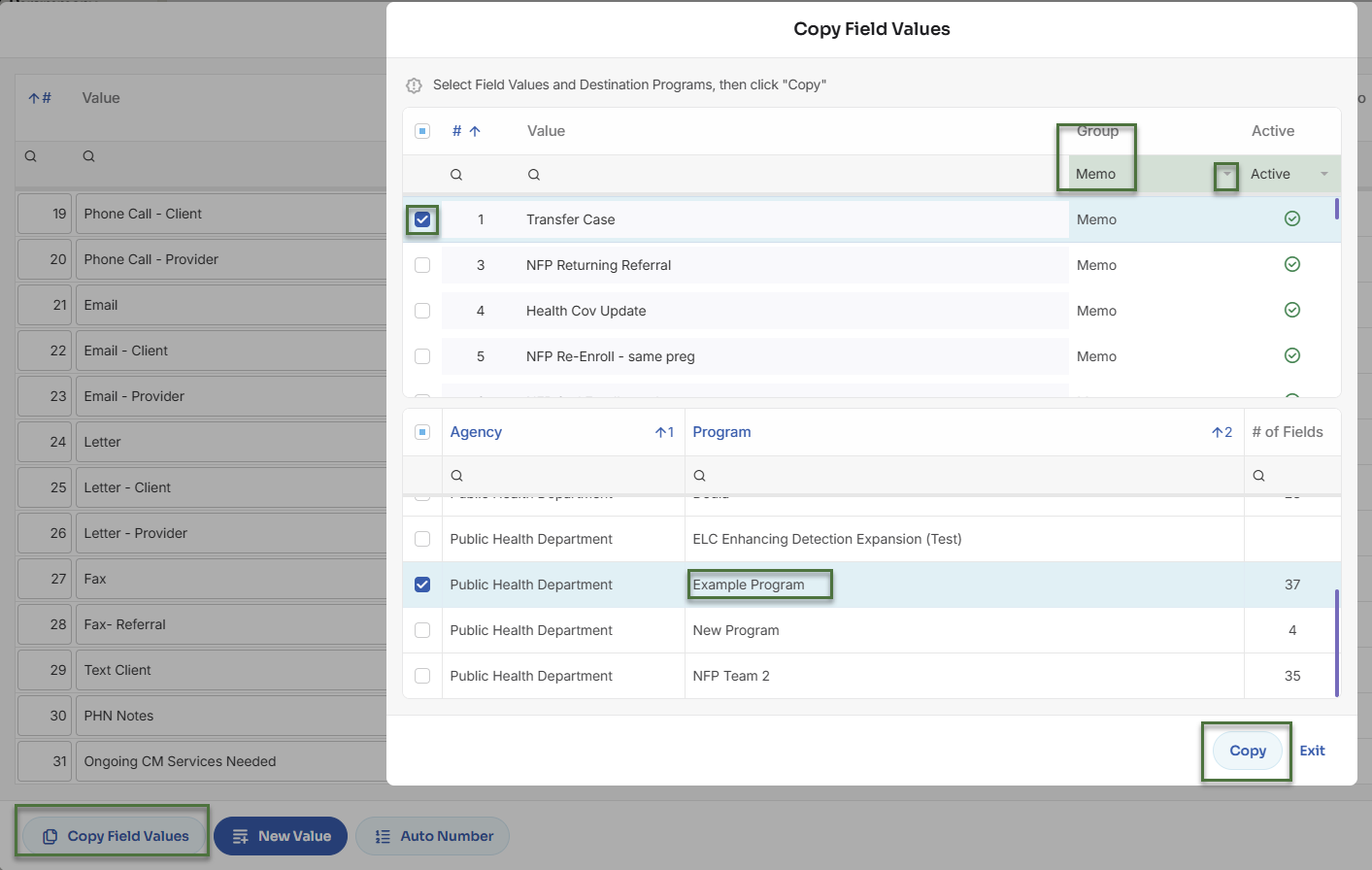
8. Verify the Copy Was Successful
-
Navigate back to Setup > Program Values.
-
Select the Program you copied the Activity Type to.
-
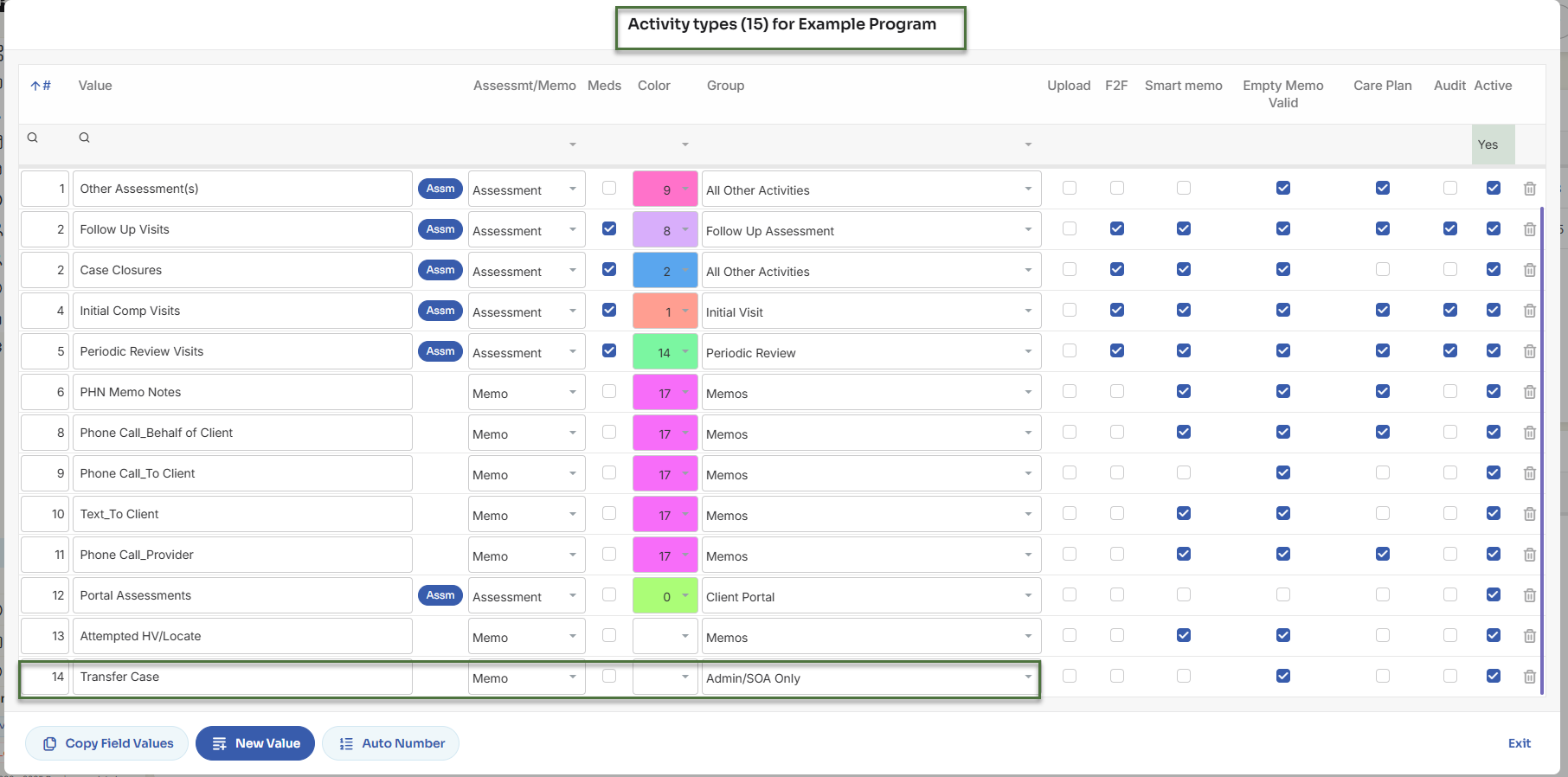
Open Activity Type and confirm the new Activity appears.
9. Update Activity Group (if needed)
-
Each Program has its own Activity Groups, so if the copied Activity is missing a group or if it is inaccurate:
-
Use the Group dropdown to assign the correct group within the target Program.
-
Additional Notes
-
This process does not affect the original Activity Type.
-
You can repeat this process to copy multiple Activity Types across Programs, as needed.