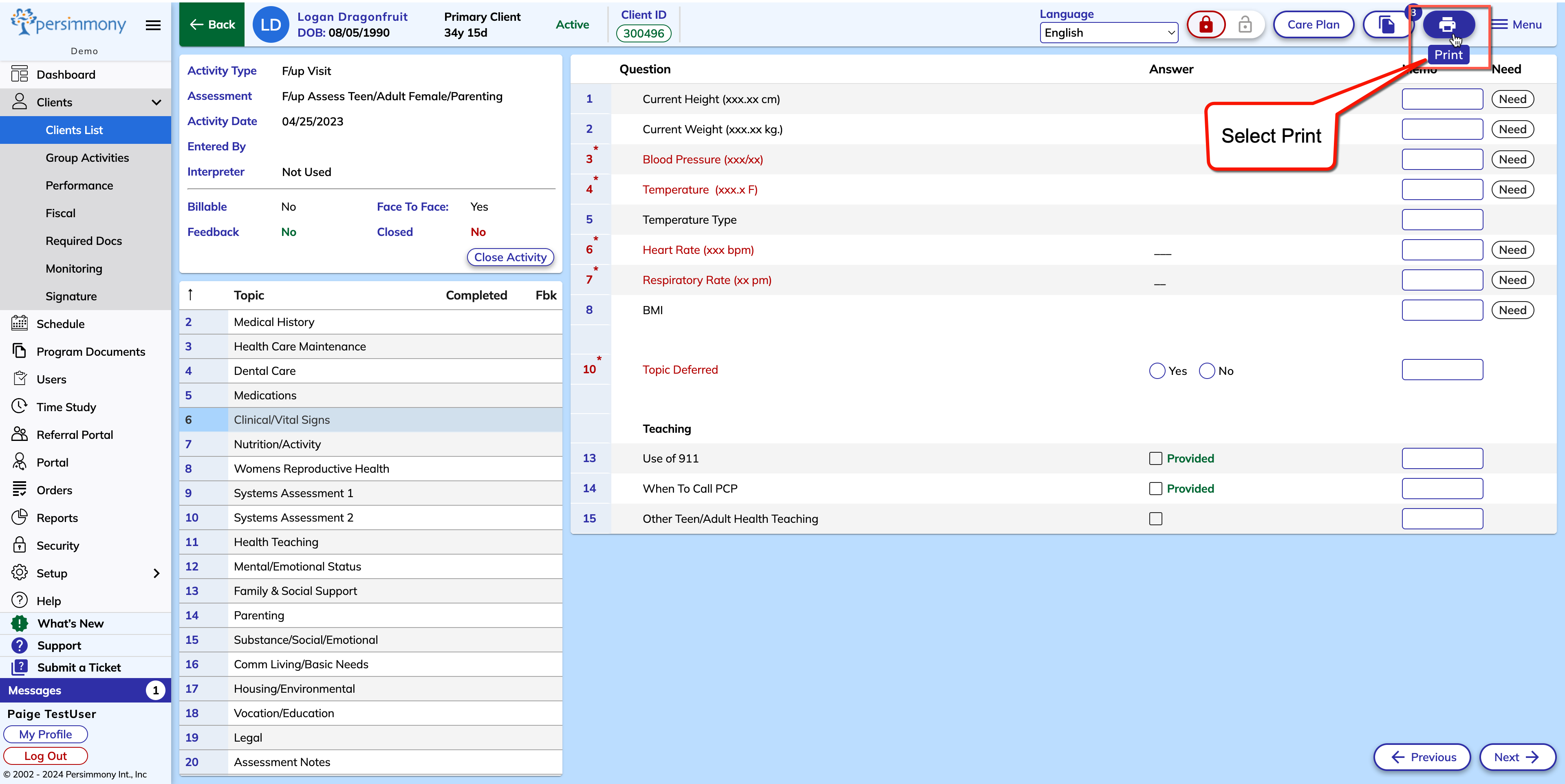
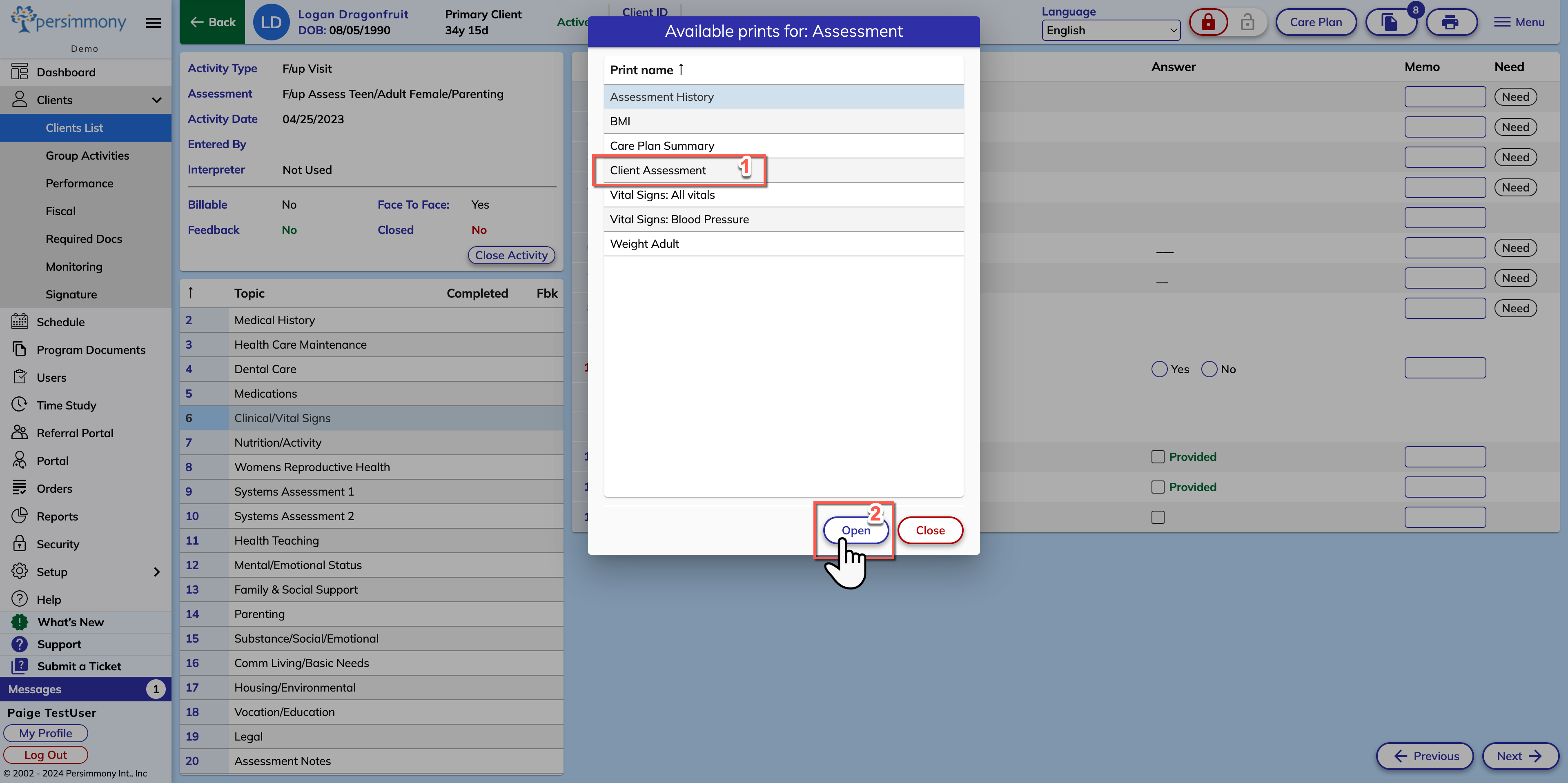
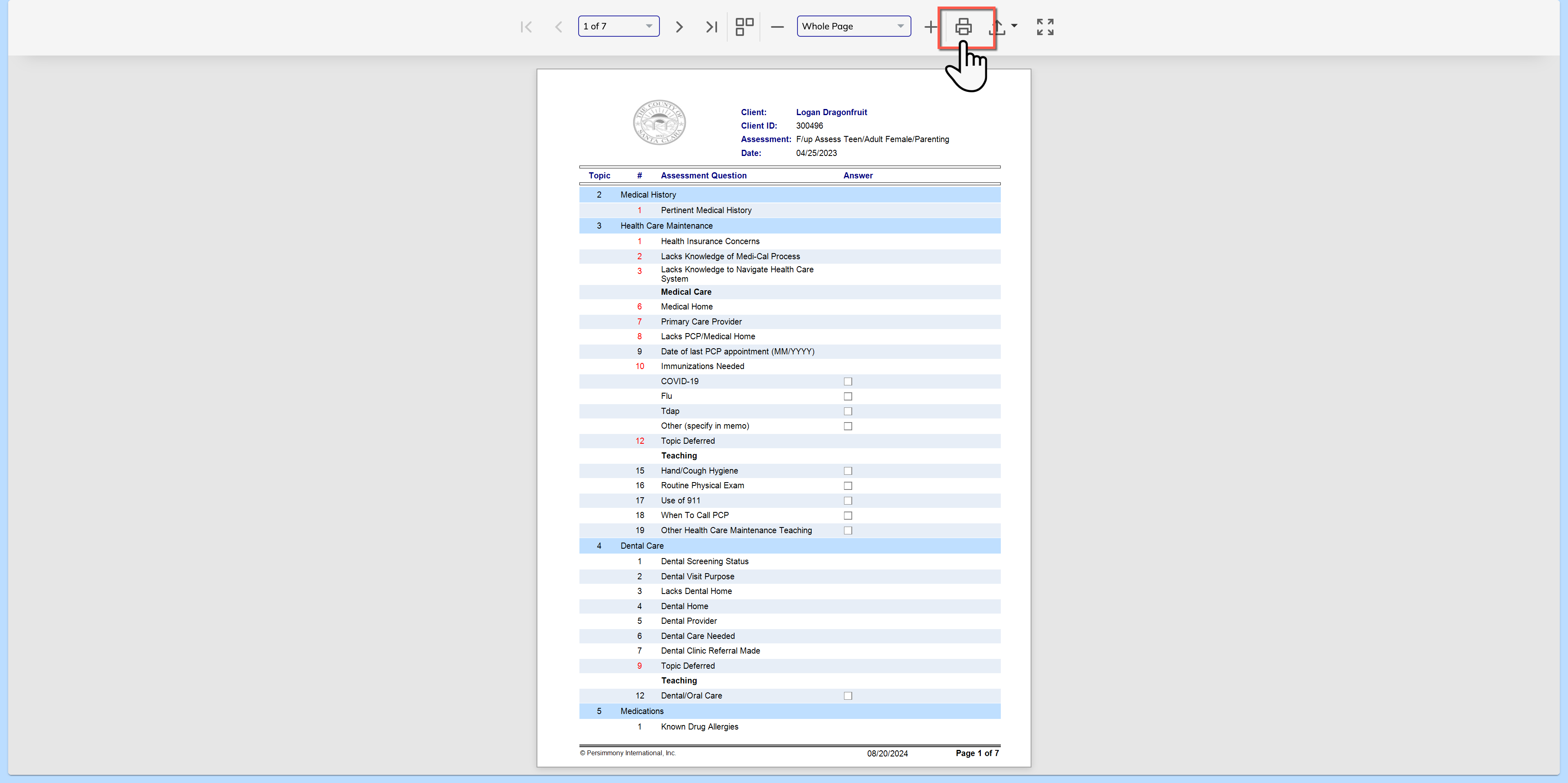
Assessments: How to Print Client Assessment or Questionnaire Instructions on how to print an assessment or questionnaire How to Print an Assessment Step 1: Within the client profile, open the activity that you wish to print Step 2: Select the Print Icon Step 3: Select Client Assessment Step 4: Select Open Optional: Change any settings prior to printing Step 5: Select the Print Icon & Select your printer
![Screenshot 2025-02-20 104356.png]](https://employeekb.persimmony.com/hs-fs/hubfs/Screenshot%202025-02-20%20104356.png?height=40&name=Screenshot%202025-02-20%20104356.png)