![Screenshot 2025-02-20 104356.png]](https://employeekb.persimmony.com/hs-fs/hubfs/Screenshot%202025-02-20%20104356.png?height=40&name=Screenshot%202025-02-20%20104356.png)
- Click on the Memo field within the desired question of the existing Assessment.
- In the pop-up window, select "Previous Answers."
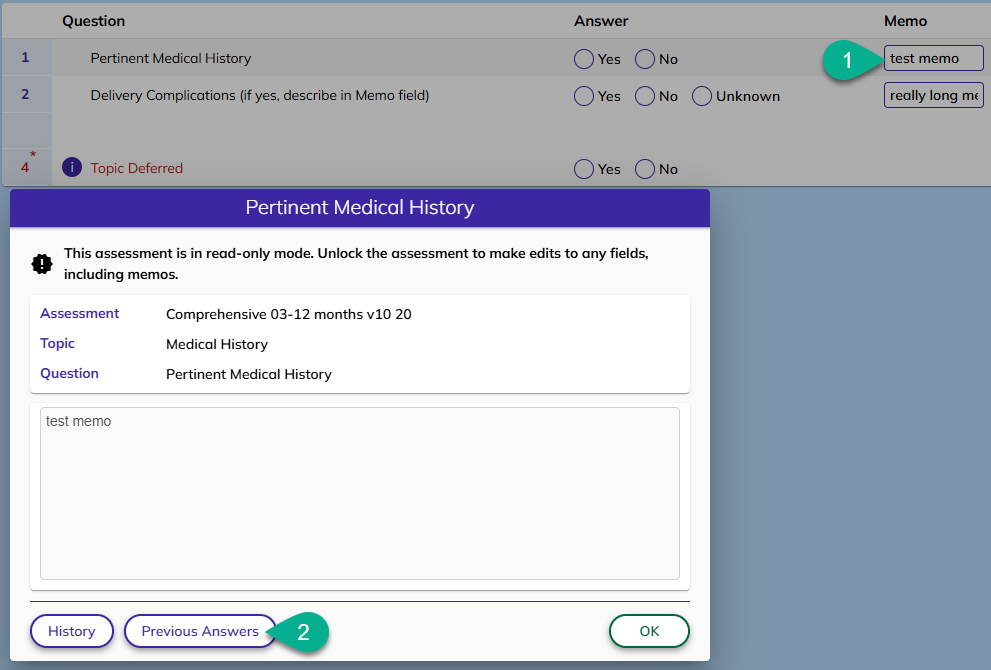
Within the Previous Answers pop-up, you have the following options:
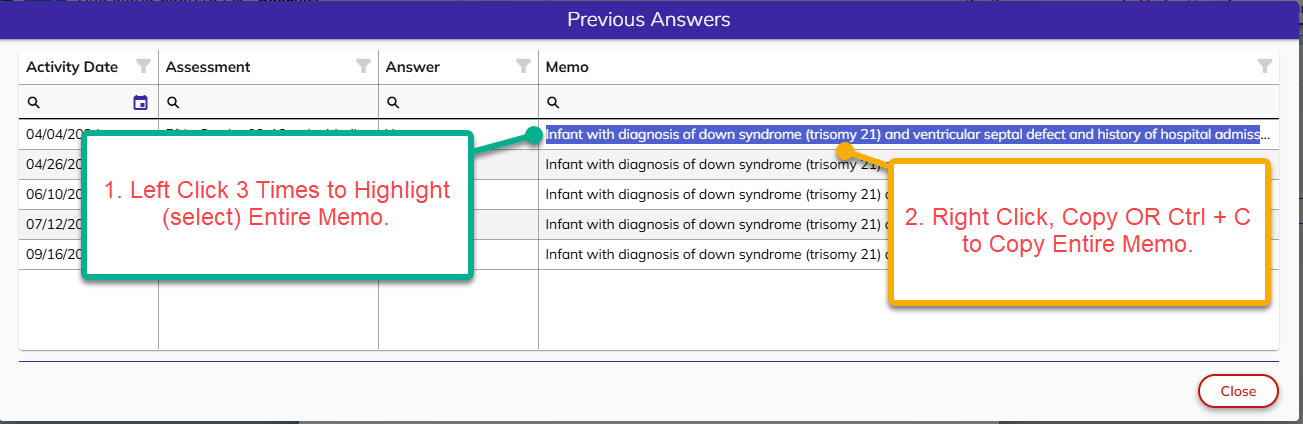
- Hover your cursor over the desired memo to view the entire memo.
- To Copy the entire contents of the memo, left click 3 times (Entire memo will be highlighted and selected). Then use standard keyboard shortcuts (right-click and select "Copy" or press Ctrl + C) to copy the text.
Now you are able to paste the memo using standard keyboard tools (right-click and select "Paste" or press Ctrl + V).